
Lets Parkour PRO1.0 - App Store
You'll be able to see results in few seconds.
Publisher Description
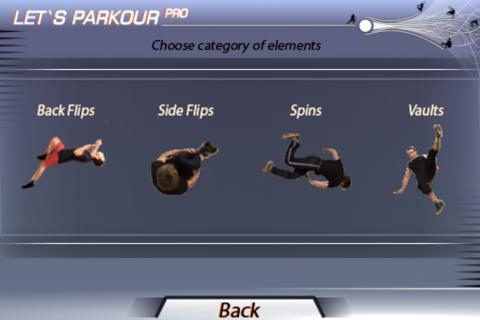
This app is designed to help you learn about parkour, the art of movement.
Originating in France, parkour has taken the world by storm, becoming a hugely popular hobby in many urban areas. As a discipline, parkour is not dissimilar to martial arts. If martial arts are a form of training to fight, think of parkour as a form of training for flight.
The training app Let s Parkour is useful for anyone with an interest, whether you re an experienced tracer, a beginner or just someone curious about what is a thrilling and spectacular activity. It presents the user with 112 elements, from basic to advanced. The aim is to teach newbies how to get started, as well as to help skilled tracers perfect their techniques.
It features not only detailed descriptions, but videos that can be viewed in slow motion, giving you the opportunity to closely observe techniques and movements, and help you move yours up to the next level.
There are no exact rules in parkour, and no strict instructions. This app may not make you a master overnight. That s up to you. What it will do is show you the variety and range of existing moves, and give you hints and tips on how to improve while perfecting your own style.
Discover the art of movement!
FEATURES:
-112 elements with a very detailed lessons for each element
- Detailed video in slow motion
- All lessons were written and produced by professional coaches and national champions
Requires iOS 4.3 or later. Compatible with iPhone, iPad, and iPod touch.
About Lets Parkour PRO
The company that develops Lets Parkour PRO is Dmitriy Nikolin. The latest version released by its developer is 1.0.
To install Lets Parkour PRO on your iOS device, just click the green Continue To App button above to start the installation process. The app is listed on our website since 2012-06-28 and was downloaded 0 times. We have already checked if the download link is safe, however for your own protection we recommend that you scan the downloaded app with your antivirus. Your antivirus may detect the Lets Parkour PRO as malware if the download link is broken.
How to install Lets Parkour PRO on your iOS device:
- Click on the Continue To App button on our website. This will redirect you to the App Store.
- Once the Lets Parkour PRO is shown in the iTunes listing of your iOS device, you can start its download and installation. Tap on the GET button to the right of the app to start downloading it.
- If you are not logged-in the iOS appstore app, you'll be prompted for your your Apple ID and/or password.
- After Lets Parkour PRO is downloaded, you'll see an INSTALL button to the right. Tap on it to start the actual installation of the iOS app.
- Once installation is finished you can tap on the OPEN button to start it. Its icon will also be added to your device home screen.
Program Details
System requirements
Download information
Pricing
Version History
version 1.0
posted on 2012-06-28
Disclaimer
Official App Store Link
We do not host Lets Parkour PRO on our servers. We did not scan it for viruses, adware, spyware or other type of malware. This app is hosted by Apple and passed their terms and conditions to be listed there. We recommend caution when installing it.
The App Store link for Lets Parkour PRO is provided to you by apps112.com without any warranties, representations or guarantees of any kind, so access it at your own risk.
If you have questions regarding this particular app contact the publisher directly. For questions about the functionalities of apps112.com contact us.
